Daydream app logoDAYDREAM

Daydream

Balanced, natural film rendering with subtle warmth and organic texture that works across any subject or lighting condition

Cinematic
Balanced
Organic
Versatile
Natural
Reliable
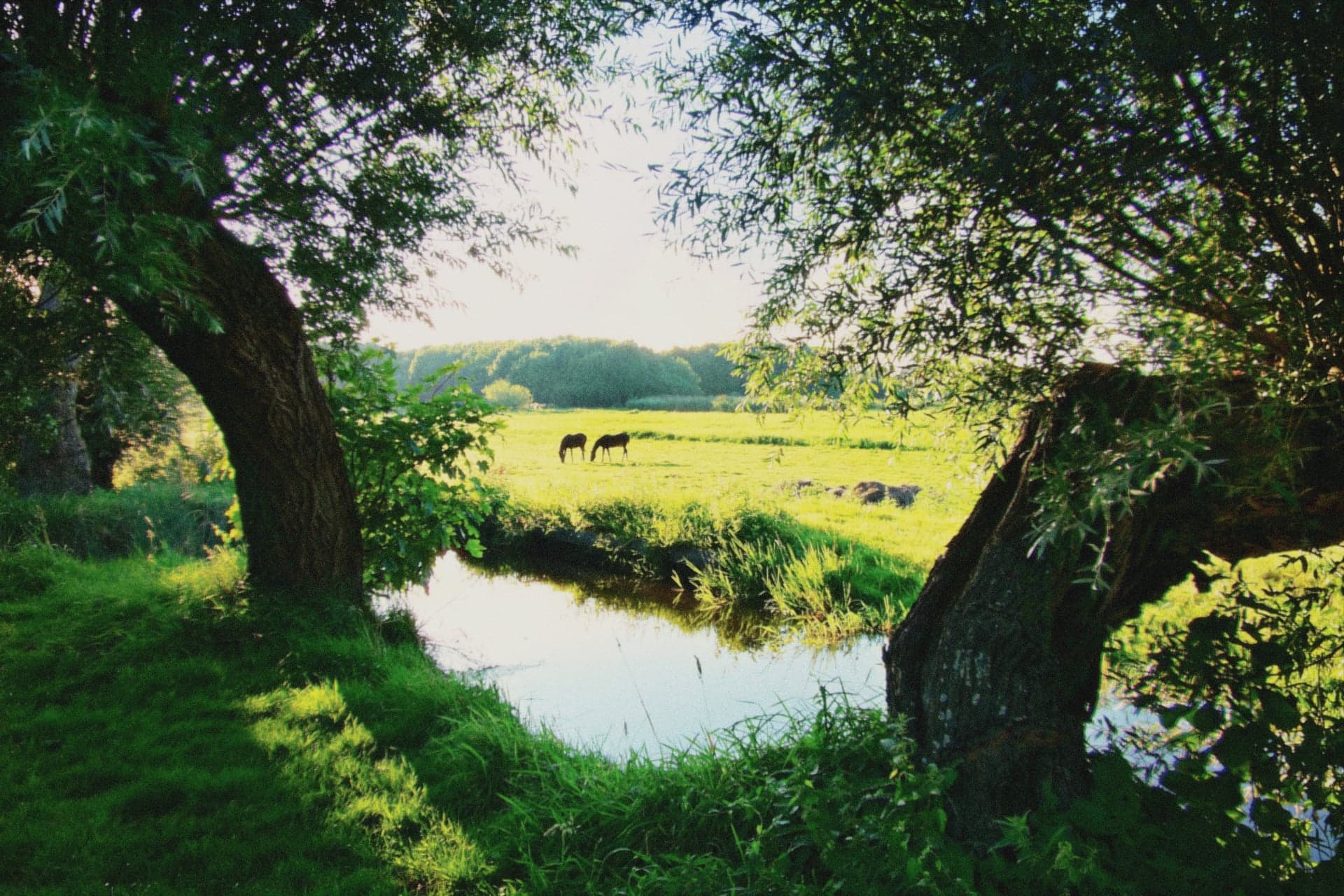
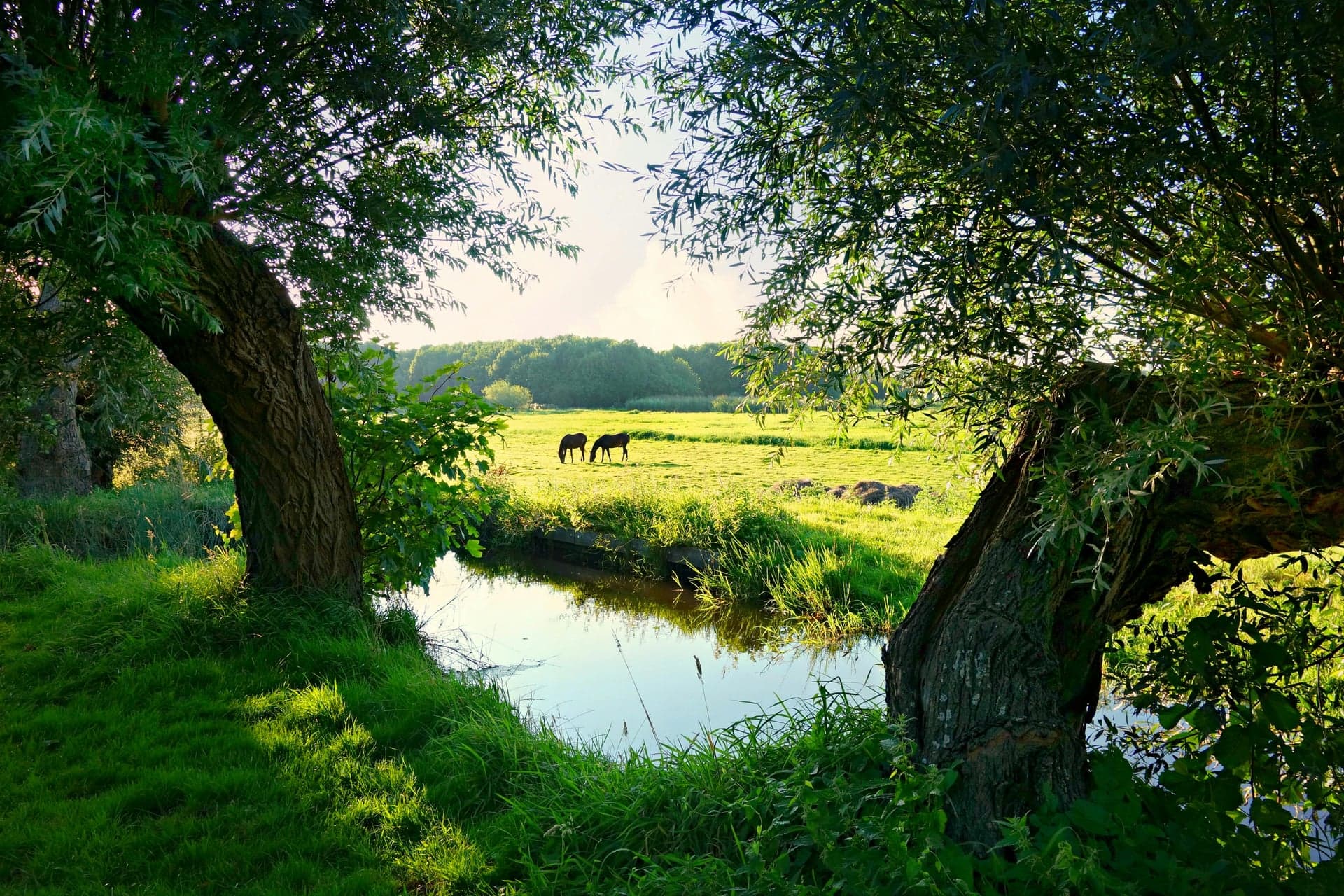
AFTER
AFTER
BEFORE
BEFORE

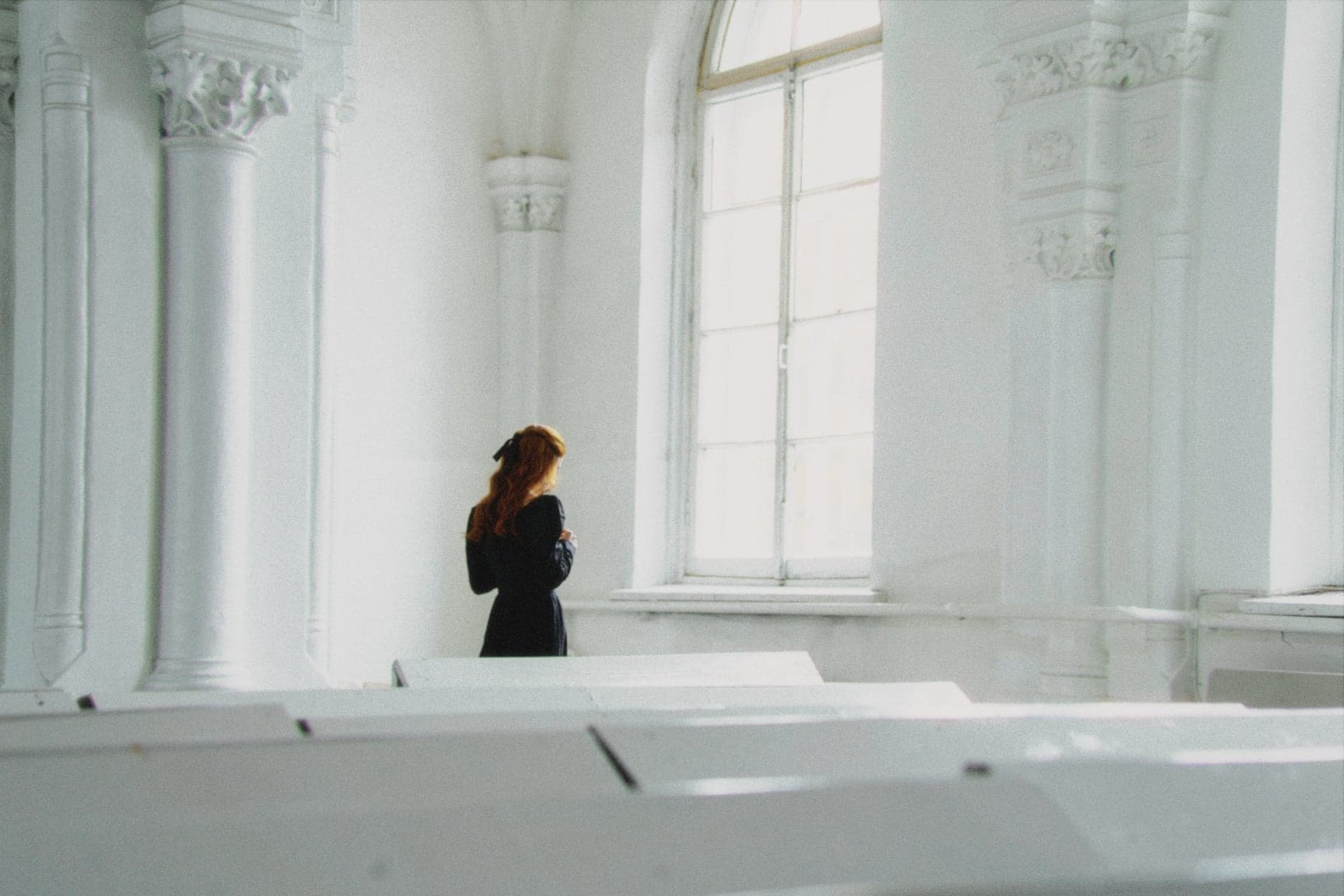
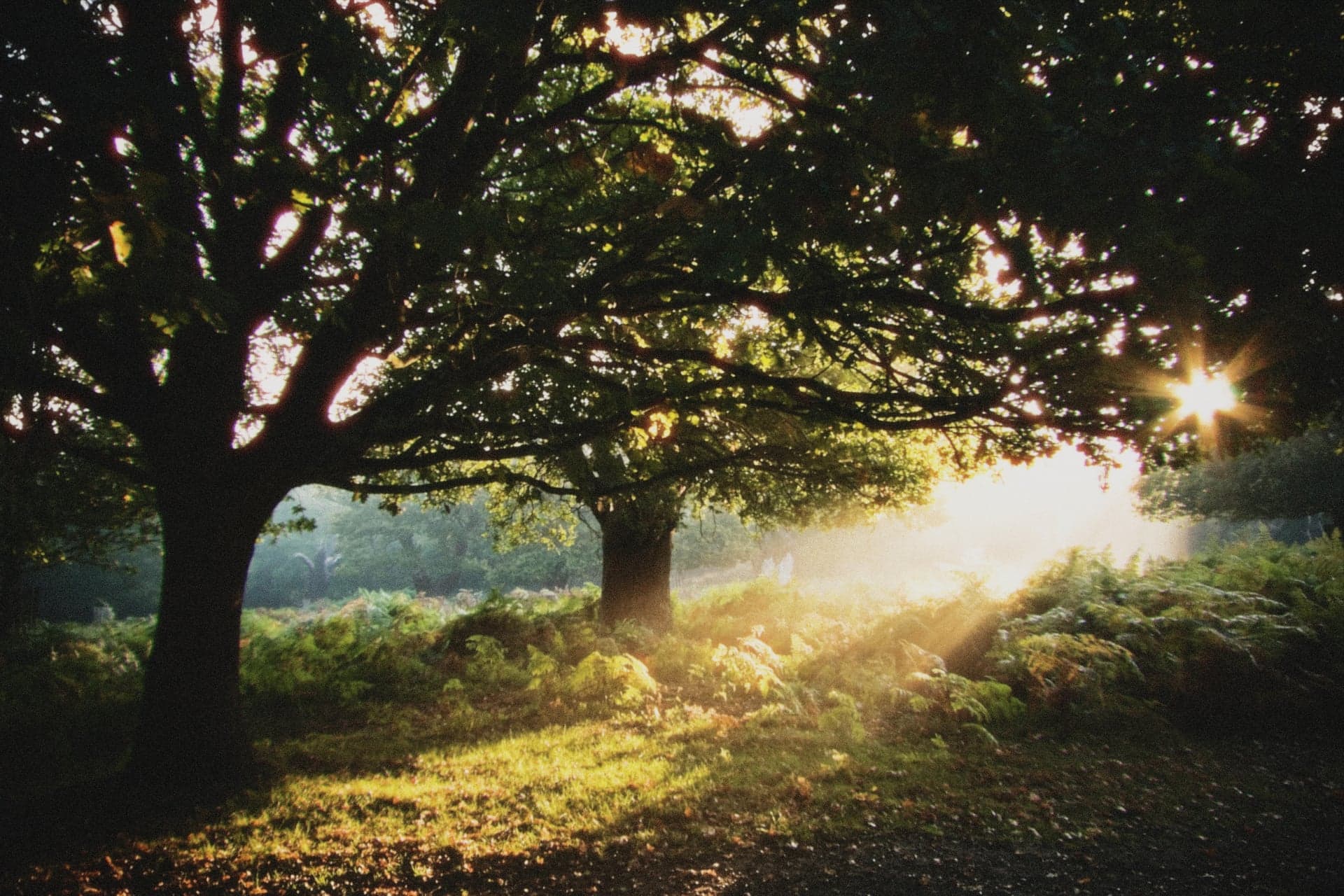
Daydream Example 1

Color Palette

Peachy Pink

#FFB5A0

Sage Green

#9CAF88

Soft Blue

#8FA9C5

Warm Beige

#D4C4B0

Muted Brown

#927B6A

Why Choose Daydream?

Natural skin tone rendering with protective color science that flatters all skin types

Balanced contrast and exposure that works across diverse lighting conditions

Subtle cinematic bloom and glow for that authentic film diffusion

Organic film grain (ASA 800) adds texture without noise

Versatile enough for any subject—from portraits to landscapes

Consistent, professional results straight out of camera

You reach for your camera—not because the light is perfect or the scene is extraordinary, but because this moment matters. Daydream transforms those everyday captures into something that feels intentional, cinematic, alive. No dramatic effects, no stylized look that only works in specific scenarios—just authentic film character that adapts to whatever you're shooting.

Daydream is the preset you stop thinking about. It's designed to work straight out of camera across diverse lighting, subjects, and shooting conditions—delivering that cinematic film aesthetic without requiring constant adjustment. This is your everyday film emulation, the one that becomes muscle memory because it simply works.

The color science emphasizes natural rendering with subtle warmth. Blues stay true without shifting teal. Greens remain organic, not artificially vibrant. Skin tones render with peachy-warm character—70% protection strength ensures faces look flattering across all lighting while preventing the harsh orange cast common in digital photography. The neutral color matrix provides a balanced foundation that adapts beautifully whether you're shooting portraits in golden hour or street scenes under overcast skies.

Light behaves with film-like character here. Bright areas develop moderate bloom—60% intensity creates authentic highlight diffusion around light sources and sun-kissed edges. The bloom carries warm bias, adding gentle golden cast to glowing areas that mimics how film stocks render bright light. Very subtle halation (5% strength) adds barely perceptible red-orange glow around specular highlights—enough for film authenticity without being distracting.

Film grain emulates ASA 800 stock—medium-fine structure that's visible in shadows and midtones but refined in highlights. The grain adapts to luminance exactly like real film, appearing more prominently in darker areas while remaining subtle where light is abundant. It adds organic texture that separates film rendering from digital sharpness.

When Daydream Shines

Perfect Scenarios

  • Portrait sessions in natural light – Skin tone protection and subtle warmth create flattering, professional results across all skin types
  • Street photography in varied conditions – Balanced response handles bright sun, open shade, and everything between without breaking character
  • Travel photography mixing subjects – Works equally well for landscapes, architecture, food, and candid portraits without switching presets
  • Lifestyle content for social media – Delivers consistent, cinematic look that feels polished but not overly processed or stylized
  • Wedding and event photography – Reliable skin rendering across mixed lighting situations (indoor tungsten, outdoor daylight, flash mixed with ambient)
  • Golden hour shooting – Enhances warm light naturally without oversaturation; bloom adds dreamy quality to backlit situations
  • Everyday moments with family – Brings intentional, film-like character to casual snapshots that might otherwise feel flat or digital
  • Indoor scenes with window light – Handles high dynamic range gracefully; highlight protection preserves detail while shadows maintain character

Lighting It Loves

Daydream thrives in natural daylight—that's where the balanced color response and moderate bloom really showcase film-like rendering. Golden hour is especially beautiful, with warm bloom enhancing sun glow and skin protection keeping faces flattering in backlit scenarios. Overcast days maintain character without going flat, and mixed lighting situations are handled with grace thanks to the neutral color foundation that adapts to complex lighting scenarios.

How to Get the Look

Starting Point Settings

  • Exposure: Shoot at proper exposure or slightly underexposed (-0.3 EV) to preserve highlight detail; the preset's balanced tone curve maintains shadow information naturally
  • White balance: Auto white balance works reliably across most conditions; lock to Daylight (5500K) when shooting a series for consistency
  • Camera approach: No special requirements—the preset adapts to your camera's output whether you're shooting with phone, mirrorless, or DSLR
  • Scene selection: Works universally, but particularly shines with natural light sources where bloom and skin protection showcase their strengths

Quick Adjustments

If skin tones look too orange

Reduce hue correction strength by 5-10% in preset controls, or shift color temperature -100K to -200K cooler. This maintains overall warmth while cooling skin slightly toward more neutral peachy-pink rendering.

If highlights are too bright or blown

Increase highlight protection strength from 60% to 70-80%, or reduce overall exposure by -0.2 EV. The film-like highlight rolloff will compress brighter tones while preserving detail in skies and bright surfaces.

If shadows feel too dense

Lift shadows slider +5 to +10 to reveal more detail in darker areas. This maintains the preset's character while opening up shadow regions for better visibility in high-contrast scenes.

If grain is too visible or distracting

Reduce ASA setting from 800 to 400 or even 200 for cleaner look. Lower grain values maintain film character with less texture—useful for portraits where you want smoother skin rendering.

If bloom feels too strong around light sources

Reduce bloom intensity from 60% to 40-50%. Keep enough glow for cinematic character but dial back the drama when shooting scenes with many bright point light sources.

Film Stock Inspiration

Primary Inspiration

Kodak Portra 400, Cinestill 50D, Kodak Ektar 100

Resembles / Inspired By

  • Kodak Portra 400 – Legendary skin tone rendering that flatters faces across all skin types with subtle warmth
  • Cinestill 50D – Subtle bloom and highlight characteristics from remjet-removed cinema stock
  • Kodak Ektar 100 – Fine grain structure with organic texture quality (at ASA 800 setting)

Style Notes

Daydream isn't a direct emulation of any single film stock but rather draws from the best characteristics of modern color negative films designed for professional use.

Kodak Portra 400 provides the foundation for skin tone rendering—that legendary ability to flatter faces with subtle warmth that never goes orange. Cinestill 50D contributes the subtle bloom and highlight characteristics. Kodak Ektar 100 adds inspiration for the fine grain structure.

The result is a hybrid film character optimized for digital photography—capturing the spirit of these professional film stocks in real-time without the cost, wait time, or workflow complexity of shooting actual film.

"Inspired by Kodak Portra 400 (legendary skin tone rendering), Cinestill 50D (subtle bloom characteristics), and Kodak Ektar 100 (fine grain structure)"

Who Daydream Is For

Choose Daydream if you...

  • Want reliable, professional film aesthetics without constant adjustment or preset switching between different shooting scenarios
  • Shoot varied subjects—portraits, street, travel, lifestyle—and need one versatile look that maintains character across all of them
  • Value natural, flattering skin tone rendering that works for all skin types without harsh orange cast or unnatural color shifts

Skip Daydream if you...

  • Want dramatic, stylized effects like heavy halation or extreme color shifts—try Nightcall for bold cinematic night looks
  • Need pure black and white film emulation without color—Noir delivers classic monochrome with rich tonal rendering
  • Prefer warm, dreamy, heavily softened aesthetic—Nostalgia offers sun-soaked golden hour character with pronounced glow

Frequently Asked Questions

Can I adjust Daydream or is it fixed?

Every parameter is adjustable. The defaults are carefully calibrated starting points, but you can tweak exposure, shadows, highlights, bloom intensity, grain level, color temperature—everything. Once you've dialed in your perfect variation, save it as a custom preset. This is how you build a collection of looks tailored to your style.

What's the best lighting for Daydream?

Daydream excels in natural daylight—that's where the balanced color response really shines. Golden hour is especially beautiful with warm bloom enhancing sun glow. But the preset is designed for versatility: overcast days maintain character, mixed indoor/outdoor lighting is handled gracefully, and window light creates beautiful results.

Is Daydream good for portrait photography?

Yes—Daydream's 70% skin tone protection with peachy-warm hue correction makes it excellent for portraits across all skin types. The color science prevents orange bias while maintaining flattering warmth, and moderate bloom adds gentle glow to backlit hair and highlights.

How is Daydream different from Nostalgia?

Daydream focuses on balanced, natural film rendering suitable for any subject, while Nostalgia emphasizes warm, dreamy golden hour aesthetic with pronounced softness. Choose Daydream when you want versatile, everyday film character that works across all conditions.

Can I save my own version of Daydream?

Absolutely. After adjusting Daydream to your taste—maybe you prefer less bloom, more grain, or cooler temperature—tap 'Save as Custom Preset' and give it a name. Your custom version joins your preset library. This is how you build a collection tailored to your style.

Is Daydream good for beginners?

Yes—Daydream is specifically designed to be forgiving and versatile. It works reliably across diverse subjects and lighting without requiring technical knowledge of film characteristics. The balanced defaults deliver professional results straight from camera.

Ready to shoot with Daydream?

Join the waitlist to be the first to access Daydream and all our film presets when Daydream launches on iOS.